Your Google Business Profile: What It Is, How to Set It Up, and How to Keep It Working
A plain-English guide to claiming, verifying and maintaining a Google Business Profile, with current advice on local visibility, reviews and outside help.
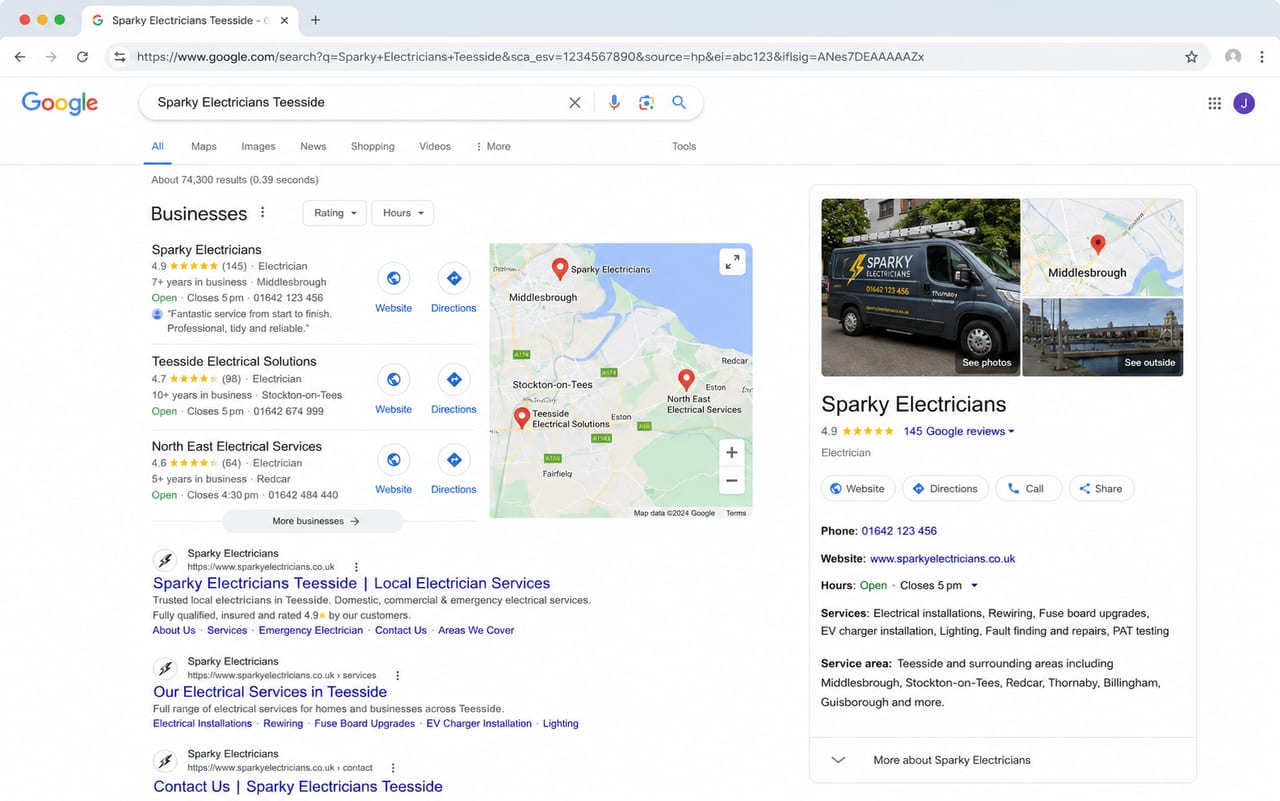
A Google Business Profile lets an eligible local business manage how it appears on Google Search and Maps at no charge. This guide explains how to claim or create a profile, keep the important details accurate and recognise when the profile may need more than a quick update.
What is a Google Business Profile?
A Google Business Profile can show details such as your business name, category, address or service area, phone number, opening hours, photos, reviews and website. Google says verified storefront and service-area businesses can use a profile to manage how they appear on Search and Maps.
The profile itself is free to create and manage. Start with Google's current Business Profile guidance and check that your business is eligible before creating another listing.
Why it matters to local customers
A profile can help someone confirm what you do, where you work, when you are available and how to contact you without searching through several pages first. Incomplete or conflicting information can leave that person unsure whether the business is suitable or still active.
There is no single profile change that guarantees a particular position. Google says local results are mainly based on relevance, distance and prominence. Complete and accurate information can make a business more likely to appear for relevant local searches, while reviews and links are among the signals that may contribute to prominence. Google's local-ranking guidance explains those limits directly.
How to set one up
Use Google's Business Profile route to add your business or claim a profile that already exists. Enter the real business name, choose the most accurate category and provide current contact details.
- Use a real customer-facing location only when customers can visit the business there.
- If you travel to customers and do not serve them at your address, set the appropriate service area and hide the address.
- Use one profile for each eligible real-world location rather than creating duplicates for extra search coverage.
- Keep the business owner as the owner of the profile. Add a consultant as a manager when outside help is needed instead of sharing a password.
Google chooses the verification methods available for each business. These may include video, phone or text, email, live video or mail, and some businesses may need more than one method. After the steps are completed, Google's review can take up to five business days. Use the current verification instructions rather than relying on a fixed method or timescale.
What to keep current
A useful profile is accurate, representative of the real business and easy for customers to act on. Review it whenever something changes and include it in a simple regular business-information check.
Business details and opening hours
Check the phone number, website, address or service area, normal hours and special hours. If the website and profile give different answers, customers have to decide which one to trust. The guide to keeping opening hours accurate explains how to check that information across Google, your website and other listings.
Services, categories and description
Choose categories that describe the business rather than using them as keywords. Keep services and the description specific enough for a customer to understand what is available, without adding claims or locations that do not reflect the real business.
Useful, representative photos
Add clear and current images that truthfully show the work, premises, team, products or customer experience where relevant. Google's photo guidance says category-specific photos can help a business stand out and help customers make decisions. It does not promise a fixed increase in clicks or ranking.
Updates when there is something useful to say
Profile posts can share an announcement, offer, update or event on Search and Maps. Use them when the information is timely and helpful to customers. Google does not publish a universal posting frequency that guarantees better local ranking, so choose a cadence the business can maintain rather than posting merely to look active.
Genuine reviews and helpful replies
You can give customers Google's review link or QR code and ask for an honest review. Do not offer discounts, free items or other incentives in exchange for reviews. Reply where a response is useful, keep private details out of public replies and flag a review when it appears to break Google's content policies. Google does not guarantee that a flagged review will be removed.
Common mistakes to avoid
- Guessing at categories or adding keywords to the business name. The profile should represent the business as it operates in the real world.
- Showing a private address that customers cannot visit. A service-area business without a staffed customer-facing location should hide that address.
- Creating duplicate profiles. Extra profiles are not a shortcut to wider local visibility and may breach Google's representation guidelines.
- Sharing the owner's password. Give a trusted helper their own manager access and keep ownership with the business.
- Paying for a ranking guarantee. Google says a third party cannot promise or directly influence placement through special access.
- Changing the profile but ignoring the website. Customers still need consistent services, areas, proof and contact information after they leave Search or Maps.
Need a hand getting started?
If you are unsure whether the profile is missing information, using the wrong setup or telling a different story from the website, I can look at it as part of the wider customer journey. The recommendation may be a one-off setup or clean-up, a website or listing correction, or simply a short list of details to maintain yourself. The guide to keeping your Google profile and website aligned explains the most common mismatch.
The Get Found page explains how I separate a profile problem from a wider visibility or trust problem. Pricing remains in one place on the Pricing page, so this guide does not create another package or price list.
Helpful questions
- Is Google Business Profile free? Yes. Eligible businesses can create and manage their own profile at no charge, although an independent consultant may charge for agreed help.
- What if I work from home and do not want my address shown? If you travel to customers and do not serve them at your address, Google says to use a service-area profile and hide the address.
- How long does verification take? Google chooses the available method. Once you complete the requested steps, its review can take up to five business days, although some profiles are verified sooner and problem cases can take longer.
- How often should I post updates? Google publishes no universal frequency that guarantees better ranking. Post when you have useful, timely information and choose a schedule you can maintain.
- Can I create more than one profile? Usually there should be one profile for each eligible real-world location. Separate profiles require genuinely separate eligible locations or another specific exception in Google's guidelines.
- Can someone help without owning my profile? Yes. Keep the business as owner and invite a trusted consultant as a manager rather than sharing the owner's password.
- What if a review looks fake or unfair? Flag it if it appears to breach Google's policy. Removal is not guaranteed, and any public response should stay professional and avoid private customer information.
Related posts
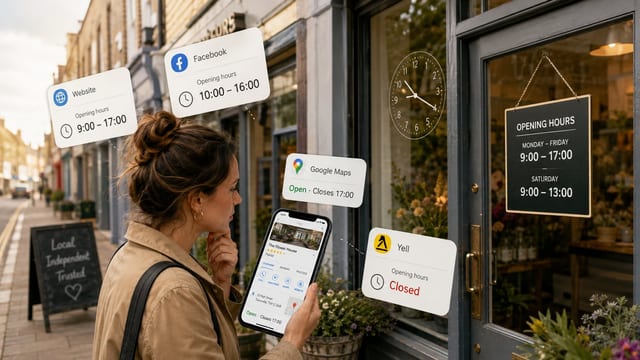
Why accurate opening hours still win local customers
Wrong opening hours cost local businesses real customers. Here is why getting them right on Google, your website and directories still matters.
Read next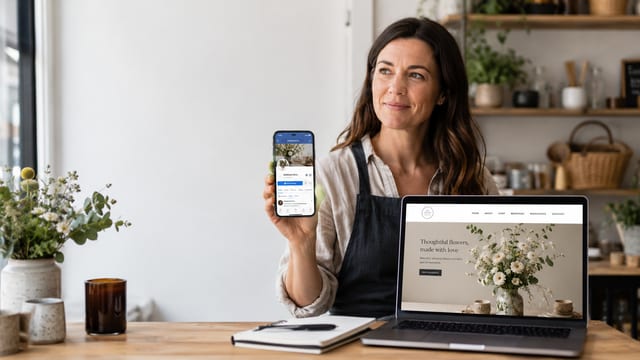
Do I Need a Website If My Business Already Has a Facebook Page?
Facebook is useful for local businesses, but is it enough on its own? When a small business still needs a website, and what a simple site can add.
Read nextSee how I help businesses get found
If your profile is only part of the problem, start with a practical look at what customers can find and what needs attention first.
See how I help businesses get found